|
|
- Contact
us Other instruments: - Measures
-
Scales |
 |


|
PCE-DM 12 digital multimeter |
|
|
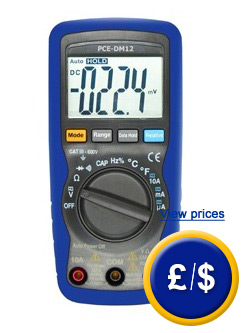
The PCE-DM 12 digital multimeter has a large, high contrast LCD which is made of a double shell ABS plastic enclosure and designed for a long life. View or print the user manual |
 PCE-DM 12 digital multimeter |
| Functions of the digital multimeter PCE-DM 12 | |
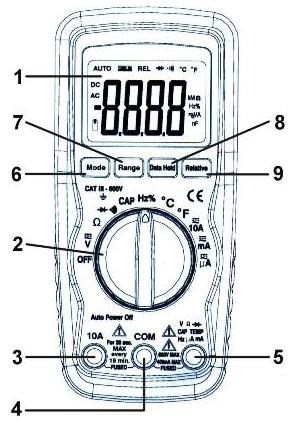 |
Functions of the digital multimeter PCE-DM 12: Symbols of the digital multimeter display: AC DC –
Alternating/direct voltage or current |
|
To measure DC/AC current with the digital multimeter PCE-DM 12, you must follow these steps:
To perform a measurement of the DC/AC voltage with the digital multimeter you must follow these steps:
|
|
| Technical specifications: | |
| Measurement range - DCV - ACV - DCA - ACA - Resistance - Capacity - Frequency - Temperature - Duty Cycle |
600 V 600 V 10 A, 600 V 10 A, 600 V 2/20/40 MΩ 200 μF 10 MHz +760°C 9.99% |
| Resolution - DCV - ACV - DCA - ACA - Resistance - Capacity - Frequency - Temperature - Duty Cycle |
0.1 mV to 1 V (depending on range) 0.1 mV to 1 V (depending on range) 0.1 µA to 10 mA (depending on range) 0.1 µA to 10 mA (depending on range) 0.1 Ω to 10 kΩ (depending on range) 1 pF to 0.1 µF (depending on range) 0.001 Hz to 1 kHz (depending on range) 1°C 0.1% |
| Accuracy - DCV - ACV - DCA - ACA - Resistance - Capacity - Frequency - Temperature - Duty Cycle |
±0.5 to 1.5% (depending on range) ±1.2 to 2.0% (depending on range) ±1.0 to 2.5% (depending on range) ±1.5 to 3.0% (depending on range) ±1.2 to 2.0% (depending on range) ±3.0 to 5.0% (depending on range) ±1.2 to 1.5% (depending on range) ±3.0% ±1.2% |
| Display | LCD with maximum value of 4000 |
| Range selection | automatic |
| Rate of measurement | 2/second |
| Operating conditions | 0 to 50°C/20 to 95% r.h. |
| Power | 9 V battery |
| Battery level indicator | "BAT" appears when battery is low |
| Auto shut-off | after 15 minutes without activity |
| Enclosure | ABS plastitc |
| Dimensions | 150 x 70 x 48 mm |
| Weight | 255 g |
| Contamination grade | II |
| Standard | EN 61010-1; CAT III/600V; EMC; LVD; EN 50081-1; EN 50082-1 |
|
Examples of the use of ohmmeter.
|
|
|
In this video we can see the digital multimeter PCE-DM 12 performing diverse measurements. We can see the digital multimeter PCE-DM 12 measuring the oscilation frequency of a system working at 4 kHz. In this case, we could also measure the working cycle as the percentage pressing the yellow key MODE. We can also see the digital multimeter PCE-DM 12 measuring a plug alternating voltage using alligator clips (these clips are coupled to this multimeter however they are not included in the delivery) by placing the rotary switch in V position. |
|
| Delivery content:
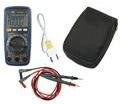
1 x PCE-DM 12 digital multimeter |
|
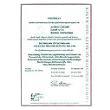
| Optional accesories - ISO calibration certificate For companies that wish to include this device in their set of internal testing tools or for annual recalibrations. The ISO certificate includes a laboratory calibration and a control document with all the measurement values. |
 |
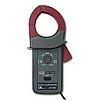
| - Amp clamp adaptor Adaptor for indirect measurement of current up to 1000 A without interrupting the cable. - Range: 200/1000 A DC/AC - Accuracy: ±1.5/2% - A DC zero reset - Dimensions: 190 x 64 x 33 mm - Maximum diameter of cable: 33.5 mm |
 |
| - Revolution adaptor Adaptor with revolutions sensor and 1 m cable. For optical measurement of revolution between 100 and 20,000 RPM in two ranges. - 0.1 mV DC/1 RPM (range 1) - 0.1 mV DC/10 RPM (range 2) Dimensions: 190 x 73 x 37 mm |
 |
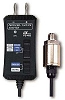
| - Pressure adaptor Adaptor with pressure sensor and 1m cable. For absolute measurement of pressure between 3.5 and 3500 kPa. - Accuracy: ±1% (up to 1700 kPa); ±2% (up to 2400 kPa) and ±5% (up to 3500 kPa) - Resolution: 0.1/1 kPa - Dimensions: 100 x 50 x 25 mm; 1/4" sensor |
 |
| - Humidity adaptor Adaptor with humidity sensor in a handle and with 1 m cable. - Range: 10 to 95% r.h. - Accuracy: ±3% r.h. - Resolution: 0.1% r.h. - Dimensions: 100 x 50 x 25 mm |
 |
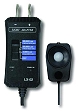
| - Light adaptor Adaptor with light sensor and 1 m cable. - Three rages: 0 to 2000/0 to 20,000 and 0 to 50,000 lux - Accuracy: ±5% - Resolution: 1, 10, 100 lux - Dimensions: 100 x 50 x 25 mm |
 |
| - Air velocity adaptor Adaptor with air velocity sensor and 1 m cable. - Range: 0.2 to 30 m/s; - Accuracy: ±2% - Resolution: 0.1 (m/s; km/h; knots) - Dimensions: 100 x 50 x 25 mm |
 |
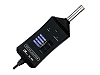
| - Sound adaptor Adaptor with sound sensor and 1 m cable. A-weighting; can be externally calibrated (PCE-SC 41 calibrator) - Ranges: 30 to 130 dB (in three ranges) - Accuracy: ±1.5 dB (IEC 651 class II) - Dimensions: 107 x 53 x 29 mm |
 |
| - EMF adaptor Adaptor with EMF sensor and 1 m cable. - Range: 0 to 20 microTesla/200 milliGauss - Accuracy: ±4% - Resolution: 0.1 µTesla/1 milliGauss - Bandwidth: 30 to 300 Hz - Dimensions: 100 x 50 x 25 mm |
 |
|
Definition and information about multimeters: |
|
|
|
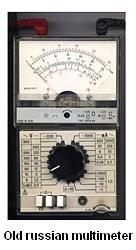
Analogue multimeters show readings by indicating different scales for different measurement ranges and presenting them with detailed markings to allow to take the readings properly. To prevent errors high quality devices have the scale upon a mirrored surface for taking the readings adequately. Such high quality analogue multimeters can be accurate up to one percent of the indicated value. Measurements of alternating current are not as accurate in analogue multimeters due to a preconnected corrector. |
 |
 |
|
Here you will find all the measuring instruments available at PCE Instruments. |
|
|
Contact: |
Contact: |

 ├
├